
Staff Logins and the printed QR
What a Staff Login is in 7Feedback, how to add one, the permanent QR each one has, the Google review link, and what Terminal Mode needs.
Updated
What a Staff Login is
A Staff Login is a workstation, not a person: a counter, a shared device, a POS terminal or an API integration. Each one has its own printed QR, and each API key is bound to one Staff Login. Ratings are counted per Staff Login on the dashboard.
A paid plan is billed per created Staff Login — switched-off ones too, deleted ones not.
Should I make a Staff Login for each employee?
No. A Staff Login is a workstation — a counter, a device, a POS terminal or an integration — not a person.
Do switched-off Staff Logins cost money?
Yes. A paid plan is billed per created Staff Login, switched-off ones included. Delete a Staff Login you no longer need.
How many QR codes does one Staff Login have?
One permanent QR. A second place needs a second Staff Login.
Add a Staff Login
A new Staff Login asks only for a name — name the place, such as Counter 1 or Bar POS — and, if you like, its Google review link and coordinates. Its login and password are generated and not shown.
Every Staff Login takes a Staff Seat of your plan. The list shows the seats used, for example 1 of 1. When they are all taken, Upgrade plan stands beside Create Staff Login; Create Staff Login then explains that the plan’s Staff Seats are in use and offers the upgrade.
Why can’t I add a Staff Login?
All Staff Seats of your plan are taken. Create Staff Login says so and offers Upgrade plan; on a paid plan each new Staff Login adds a seat.
Where are the login and password of a new Staff Login?
They are generated and not shown — the printed QR and the API keys do not need them.
What should I call a Staff Login?
Name the workstation, not the person — Counter 1, Bar POS, POS integration.
The printed QR
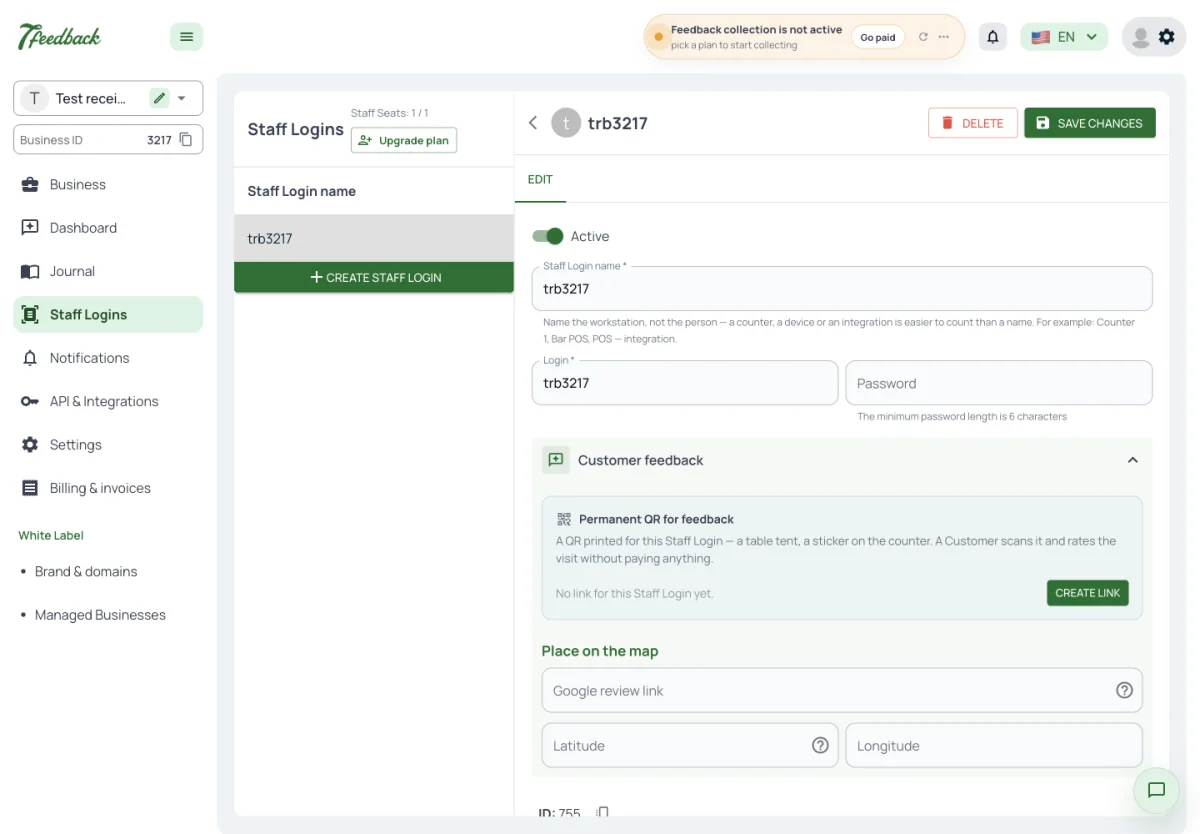
On a Staff Login’s page the Customer feedback section holds the permanent QR for feedback and the link behind it, on my.7feedback.com. Print gives an A4 sheet headed How was your visit?; Open page shows what the Customer sees.
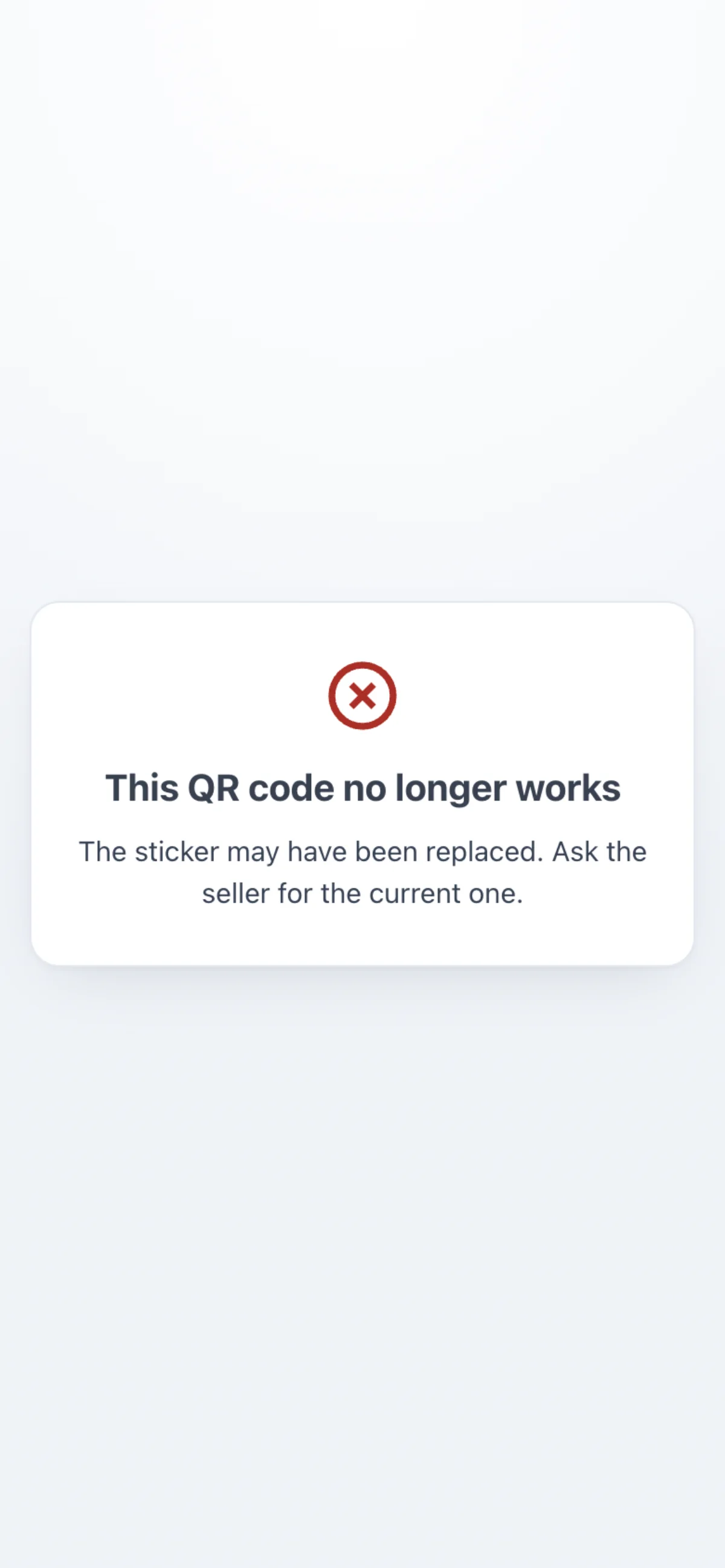
Regenerate link and Revoke make a QR already printed stop working at once — reprint it afterwards. A QR that no longer works tells the Customer to ask for the current one.
What follows the rating on this page — the manager page, the Google review and the limits — is in the Customer feedback article, The printed QR.
We printed a new QR. Does the old sticker still work?
Only if you did not regenerate or revoke the link. Regenerate link and Revoke stop the old QR at once.
Can I put the link on our website instead of printing it?
Yes. Copy the link behind the QR from the Staff Login’s page; it opens the same rating page.
A Customer says the QR shows an error. What should I check?
That a plan with Customer feedback is active, Collecting feedback is on, the Staff Login is switched on and its link was not regenerated or revoked.
The Google review link
The Google review link is set on each Staff Login’s page, under Customer feedback. After a neutral or positive rating on the printed QR, the next page offers the Customer this link. A Staff Login without one leads to the same page without the Google button. After a negative rating the page is for your manager and never links to Google.
Where do I put our Google review link?
On each Staff Login’s page, in the Customer feedback section.
We have two places. Can each QR lead to its own Google page?
Yes. The Google review link is set per Staff Login.
Does an unhappy Customer see the Google button?
No. After a negative rating the page is for your manager and has no link to Google.
Terminal Mode
Terminal Mode of 7Stamp Scanner asks for a rating right after the scan of a Stamp card of your Business, with one tap. A Business that has 7Feedback without 7Stamp has no Stamp cards, so it asks through the printed QR, its own POS and the Chatbot.
Can I collect ratings in Terminal Mode with 7Feedback alone?
Terminal Mode asks after a Stamp card is scanned, so it needs 7Stamp. With 7Feedback alone, use the printed QR, your POS through the API and the Chatbot.
Does Terminal Mode show the Google button?
No. Terminal Mode stores one tap; it has no follow-up page and no Google link.
Which channel works on a payment terminal without 7Stamp?
Your POS through the Integration API — every purchase it reports can get the rating screen.