The Chatbot
Connect your own Telegram or WhatsApp bot under Settings, the two ways it asks for a rating, and why it keeps asking without a plan.
Updated
Connect the Chatbot
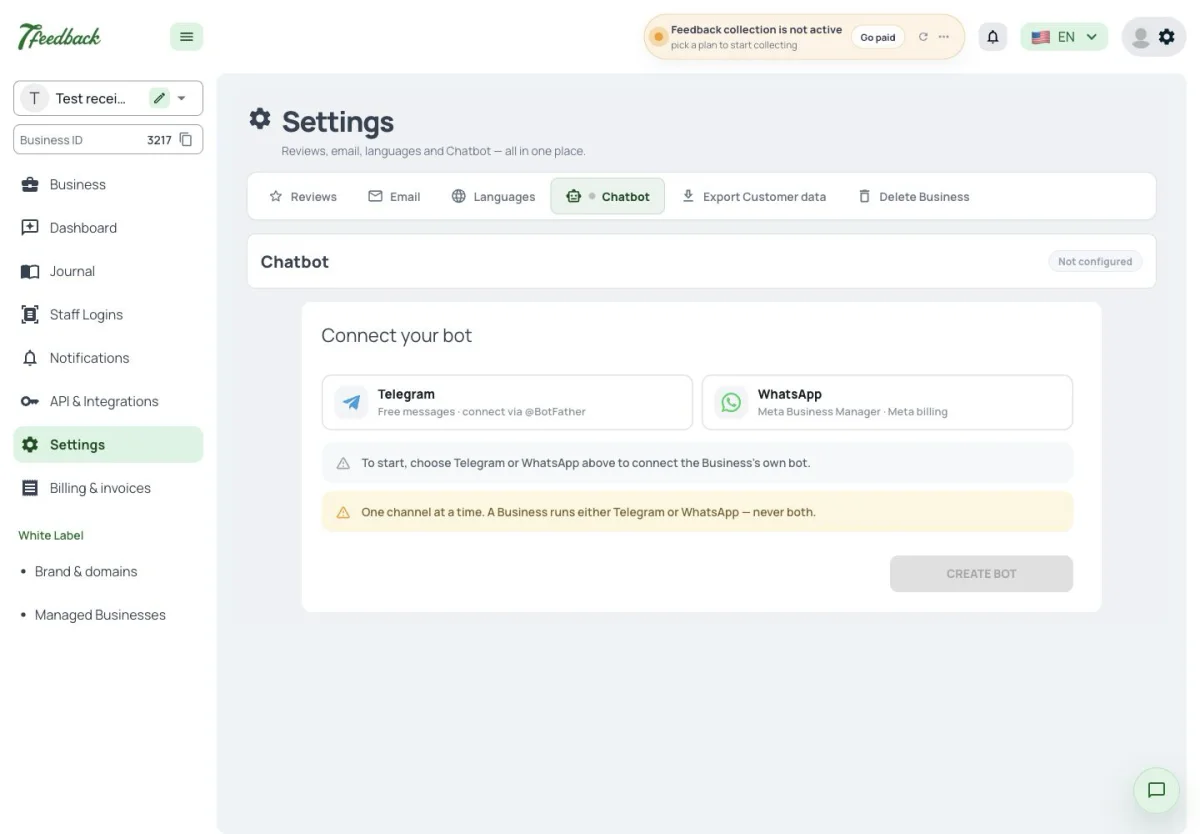
The Chatbot is your own bot in Telegram or WhatsApp, connected under Settings → Chatbot. A Business runs one of the two at a time, never both.
Where do I connect a Telegram bot?
Under Settings → Chatbot.
Can I run Telegram and WhatsApp at the same time?
No. One of the two at a time.
Is the bot ours or 7Feedback’s?
Yours. You connect the Business’s own bot.
How the Chatbot asks
The Chatbot asks in two ways, each switched on its own: a button in its menu, and a request sent as the last message after every operation that added stamps. The request comes only with 7Stamp’s Stamp cards; with 7Feedback alone Customers rate through the menu button. In Telegram the rating is given in the chat on your scale. In WhatsApp the Chatbot sends a link to a web page with the same scale; the comment there is optional.
Every rating left through the Chatbot sends a Telegram message to the Business’s Admins and users with CRM access who have Telegram linked.
How does a Customer rate us in WhatsApp?
The Chatbot sends a link to a web page that asks on your scale; a written comment is optional.
Why doesn’t the Chatbot ask after a visit?
The request after an operation follows a Stamp card operation that added stamps, which is 7Stamp. With 7Feedback alone Customers rate through the Chatbot’s menu button.
Do we get notified about Chatbot ratings?
Yes. Every Chatbot rating sends a Telegram message to the Admins and users with CRM access who have Telegram linked.
Before a plan is chosen
A 7Feedback Business has Collecting feedback on from the start, so a connected Chatbot asks for ratings even before a plan is chosen — while the printed QR and the POS wait for one. On a plan with a review allowance the Chatbot stops when the reviews are used up. Turning Collecting feedback off stops the Chatbot too.
Our QR shows an error but the Chatbot asks. Why?
The printed QR and the POS need a plan with Customer feedback; the Chatbot needs only Collecting feedback, which is on from the start.
How do I stop the Chatbot from asking?
Turn off its request and menu button, or turn Collecting feedback off — that stops every place, the Chatbot included.
Does the review allowance count Chatbot ratings?
Yes. When a plan’s reviews are used up, no channel asks, the Chatbot included.